
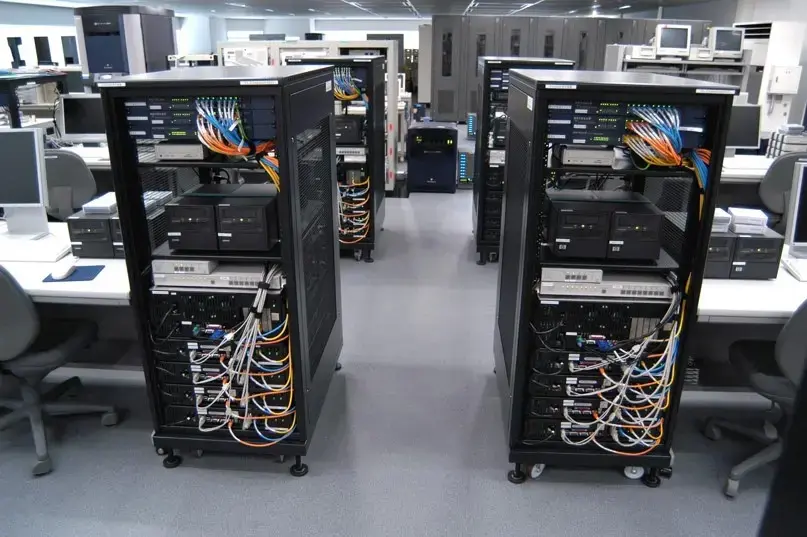
For small businesses in 2025, the server remains the backbone of daily operations. Whether you’re hosting applications, managing files, or securing customer data, choosing the right server specifications can mean the difference between smooth performance and frustrating downtime. Yet, many businesses either overpay for power they don’t need or underestimate their requirements and struggle with lag, crashes, and limited scalability. Understanding what specifications truly matter—CPU, RAM, storage, and beyond—can help you invest wisely and build a reliable system tailored to your business needs.
When selecting a server, it’s important to think in terms of workloads rather than raw numbers. The ideal configuration depends on what you’ll use the server for: file sharing, email hosting, virtualization, databases, or customer-facing web applications. Each task has different performance demands, and choosing balanced specifications ensures efficiency without unnecessary expense.
1. Processor (CPU): The Heart of the Server
The central processing unit (CPU) determines how efficiently your server can perform computations and handle multiple tasks. For small businesses, a powerful processor isn’t always necessary—what’s more important is matching the CPU’s capabilities to your intended use.
A dual-core or quad-core processor is typically sufficient for lightweight workloads, such as basic file sharing or print management. However, if your business runs virtual machines, large databases, or resource-intensive applications, you’ll benefit from a higher core count (six cores or more) and faster clock speeds. Modern CPUs also include energy-efficient features and built-in security enhancements that improve overall reliability.
Look for Intel Xeon or AMD EPYC processors, which are designed specifically for servers and support error-correcting code (ECC) memory—a critical feature that helps detect and correct data corruption automatically.
2. Memory (RAM): The Key to Speed and Stability
If the CPU is your server’s brain, memory is its short-term memory—essential for multitasking and responsiveness. Insufficient RAM can create bottlenecks, slowing down processes and frustrating users. For small businesses, the ideal amount of RAM depends on the number of users and applications running simultaneously.
For light use, such as file storage or email hosting, 8GB to 16GB of RAM may be enough. However, if you plan to run virtual environments, handle large datasets, or manage multiple applications, consider 32GB or more. Always choose ECC memory for enhanced reliability—especially important for preventing crashes during critical operations.
RAM is also one of the easiest and most cost-effective upgrades, so starting with a moderate configuration and leaving room for expansion is a smart strategy.
3. Storage: Balancing Capacity and Performance
When it comes to storage, two primary factors matter: capacity and speed. Small businesses often face the challenge of balancing these elements without overspending.
Traditional hard disk drives (HDDs) offer large capacities at lower prices, making them suitable for archiving data or storing large media files. However, they are slower and more prone to mechanical failure compared to modern solid-state drives (SSDs).
SSDs use flash memory to deliver lightning-fast read and write speeds, drastically improving performance for everyday tasks. For optimal results, many small businesses opt for a hybrid setup—using SSDs for operating systems and critical applications while relying on HDDs for bulk storage or backups.
In the middle of this decision-making process, EuroPC emphasizes the importance of scalability. As your business grows, your storage needs will inevitably expand, so choosing a server with flexible drive bays or hot-swappable storage options ensures you can add capacity without replacing the entire system.
4. Network and Connectivity: Keeping Your Business Connected
A powerful server means little without reliable connectivity. Look for servers equipped with gigabit Ethernet ports as a minimum, and consider upgrading to 10-gigabit networking if your business relies heavily on data transfer or cloud synchronization. Redundant network interfaces (dual NICs) also provide backup connectivity in case of hardware failure, minimizing downtime.
For businesses hosting websites or remote access services, ensuring sufficient bandwidth and secure configurations is equally crucial. Pairing your hardware with strong cybersecurity measures—firewalls, encryption, and access controls—helps maintain performance while safeguarding data integrity.
5. Power, Cooling, and Redundancy
Reliable power and cooling systems protect your investment and prevent costly interruptions. Servers should feature redundant power supplies and high-efficiency cooling fans to ensure continuous operation, even during component failures. Investing in an uninterruptible power supply (UPS) also guards against data loss during power outages.
Redundancy extends beyond hardware. Implementing RAID configurations (such as RAID 1 or RAID 10) provides data protection by mirroring or distributing information across multiple drives, ensuring your files remain safe even if one disk fails.
Final Thoughts
Choosing the right server specifications for your small business isn’t about chasing the most powerful hardware—it’s about finding a balanced setup that meets your needs today and adapts to tomorrow. Focus on reliability, scalability, and value rather than raw performance.
A well-configured server not only supports your current operations but also lays the groundwork for future growth. By investing wisely in CPU, RAM, and storage—while planning for flexibility—you create an IT foundation that keeps your business efficient, secure, and ready for whatever 2025 brings.